
Embrace the Embedded.
Learn embedded systems by breaking them, safely.
Run live simulators for RTOS, buses, memory and control. Every result is explained in plain words, and every RTOS idea ends in real FreeRTOS code you can run yourself.
The demo needs no account and no card. Full access: · pricing
One of the 15 RTOS simulators. In the lab you change the setting and watch the trace fix itself.
How a lesson works
You learn by changing things and watching what happens, not by reading about it.
- 1
Change a setting
Pick a time slice, a priority or a bus speed, then press Play.
- 2
Read why
Every result says what happened, why, what to change, what breaks and how to fix it.
- 3
Pass the mission
The simulation itself checks your answer, so there is no guessing and no quiz.
- 4
Run the real code
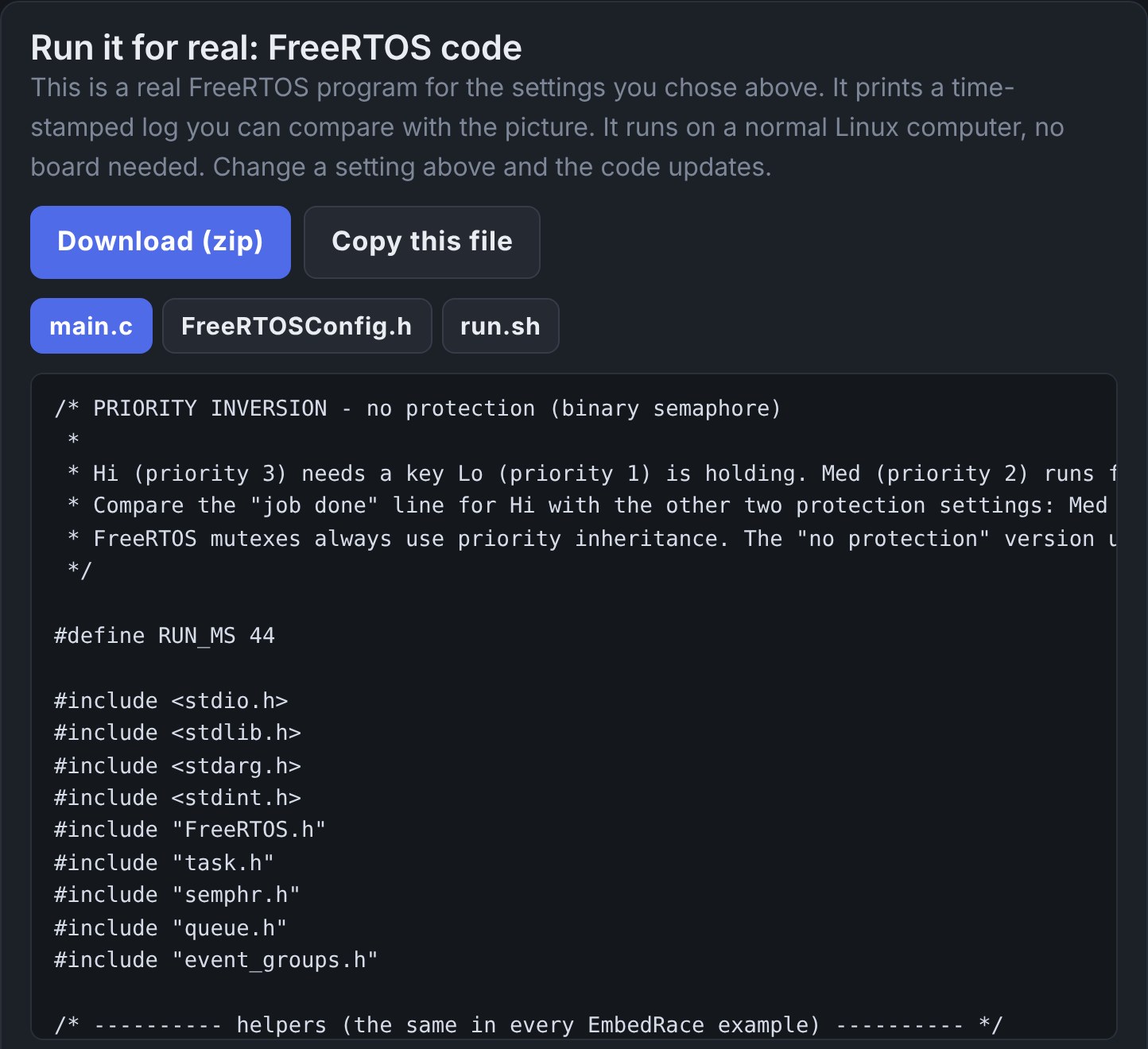
Download the FreeRTOS program for your settings and compare its log with the picture.
See it work
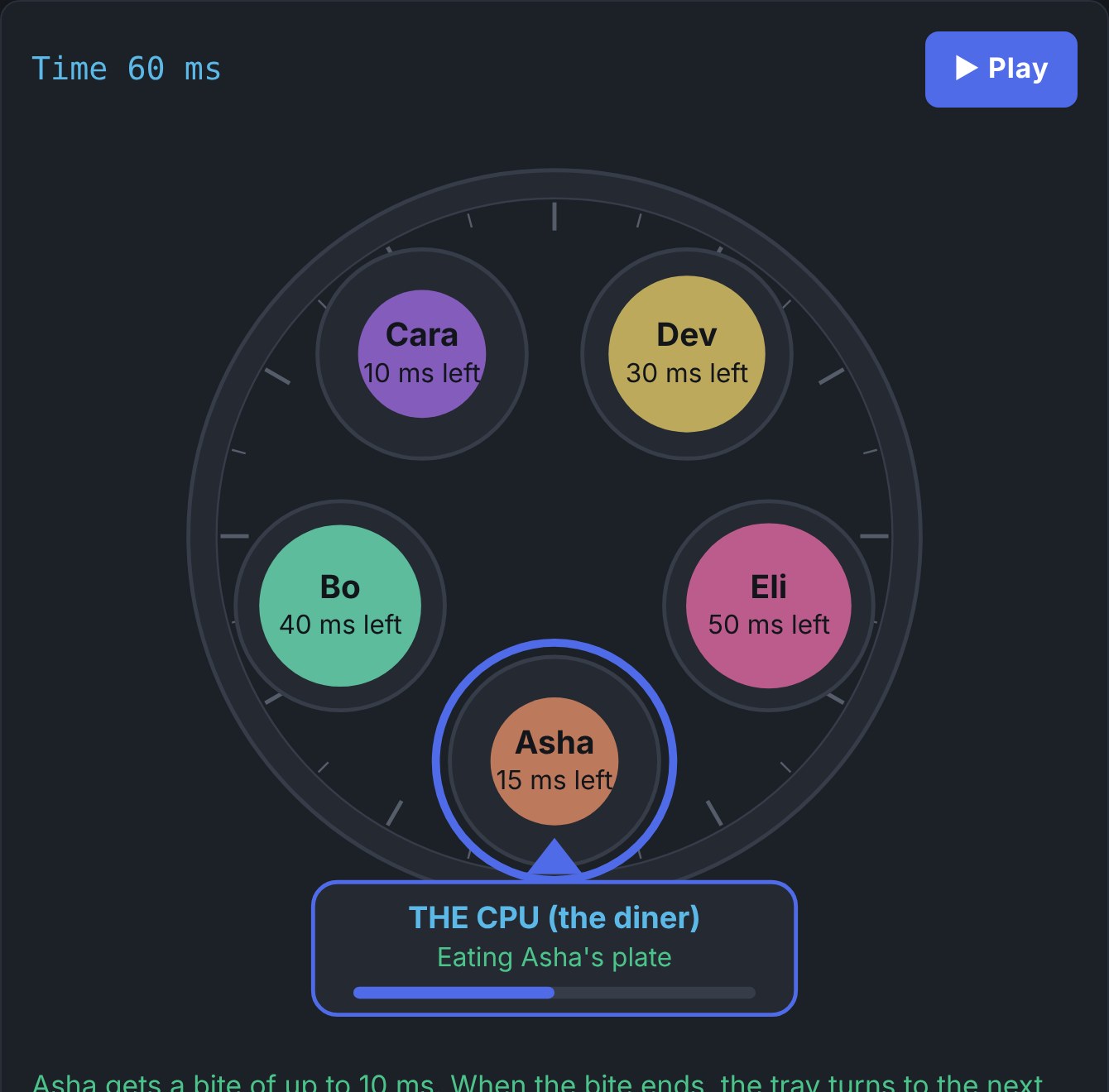
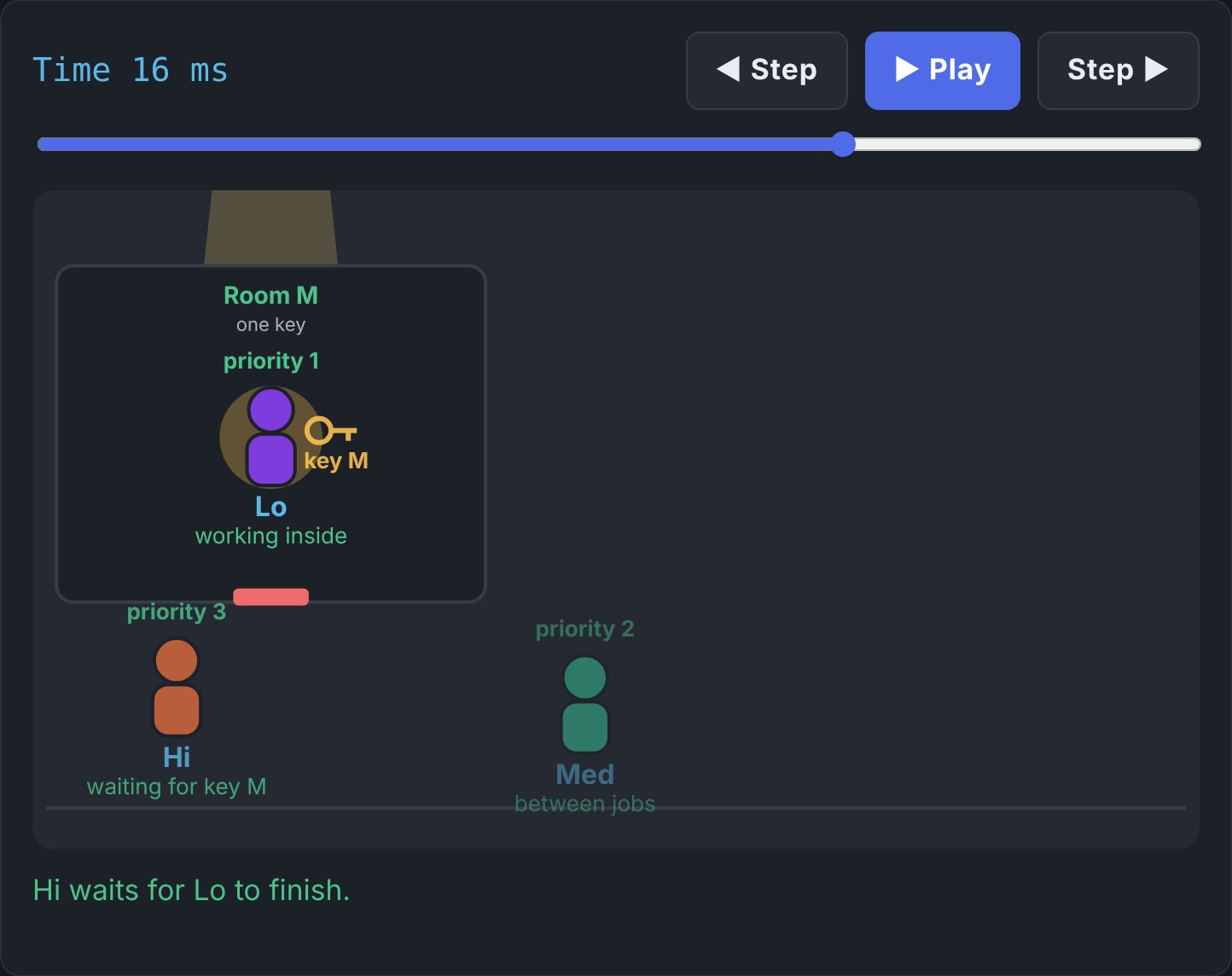
These are screens from the lab.
One price for the whole lab
Try the free demo first. When you are ready, create an account and unlock every area, simulator and mission.
Full access
- Every area, simulator and mission
- FreeRTOS code to download for every RTOS tab
- Works on a laptop or a phone
- Pay with UPI, card or netbanking
What is inside
Ten areas, from a first guided path to failure investigations.
| Area | What you do | Size |
|---|---|---|
| Start here | A guided path for beginners, at three levels of detail: Beginner, Engineer, Expert. | guided |
| MCU lab | Poke registers and watch pins, timers and interrupts react. | live registers |
| Peripherals | The building blocks every microcontroller project uses. | 4 simulators |
| RTOS | Scheduling, mutexes, priority inversion, deadlock, queues, interrupts, deadlines, memory and more. | 15 simulators |
| Failure lab | Real-style bugs to investigate, with a debugger that explains what went wrong. | 8 incidents |
| Buses and memory | Serial buses, memory and firmware, step by step. | 4 protocols, 4 simulators |
| Multi-core and hypervisors | A mailbox between two cores, cache coherency and false sharing, spinlock against mutex, and a hypervisor that contains a crashing guest. | 4 simulators |
| Control and robotics | Tune controllers and filters and see the response. | 8 plants and filters |
| Industries | How the same ideas show up in real products, including four aircraft systems (cabin pressure, bleed air, wing ice, flight control) and three medical devices (heart monitor, infusion pump, ventilator). | 14 simulators |
| Coverage map | An honest list of what is simulated, what is only explained, and what is missing. | no fake features |
Who it is for
- Students who want to understand an RTOS before a project or an interview.
- Engineers moving from bare-metal code to an RTOS.
- Teachers and mentors who need something to show, not just explain.
You need a web browser. To run the downloaded examples you also need a Linux computer, or Windows with WSL.
Made by an RTOS engineer
EmbedRace is run by a working embedded engineer with more than 20 years in embedded software across automotive, aerospace and robotics. These labs are the explanations and experiments they wish they had when they started.
See it run before you pay.
The free demo is a real simulator. No account needed.